One Windows app for the machine you play and create on. It keeps performance sharp, watches temperatures, strips out what Windows added, saves the moment you just played, and turns clips into something you can post — and every change it makes can be undone.
Windows 10 & 11 · 64-bit · One subscription, one PC · 7-day free trial
What Boost promises
Every change reversible
Every change is written to an append-only journal. Undo one session or revert everything — and a System Restore point is offered before each elevated session.
Anti-cheat safe
Vanguard, EAC and BattlEye are never touched. Instant Replay records the screen rather than hooking the game.
No ads, no telemetry
Nothing is bundled and nothing is measured. The licence and update checks are the only network traffic the app makes on its own.
Was AED 60AED 39/month
Save 35%Billed monthly. Cancel any time from your account.
- All eight sections — Dashboard, Optimize, Monitor, Debloat, Cleaner, Memory, Tools, Settings
- Every tool, including Instant Replay, Video Studio and the Video Editor
- Every update while the subscription runs
- Every change reversible, with a restore point before each session
- No ads, no telemetry, nothing leaves your PC
One subscription, one PC. Moving to a different machine takes one click and costs nothing.
Your price is locked. If the price goes up later it goes up for new subscribers, not for you — you keep the price you started at for as long as your subscription runs without a break.
Free for 7 days. Download Boost and start the trial in the app — no card needed.
There is no free tier and nothing locked behind an upgrade inside the app. A subscription is all of it.
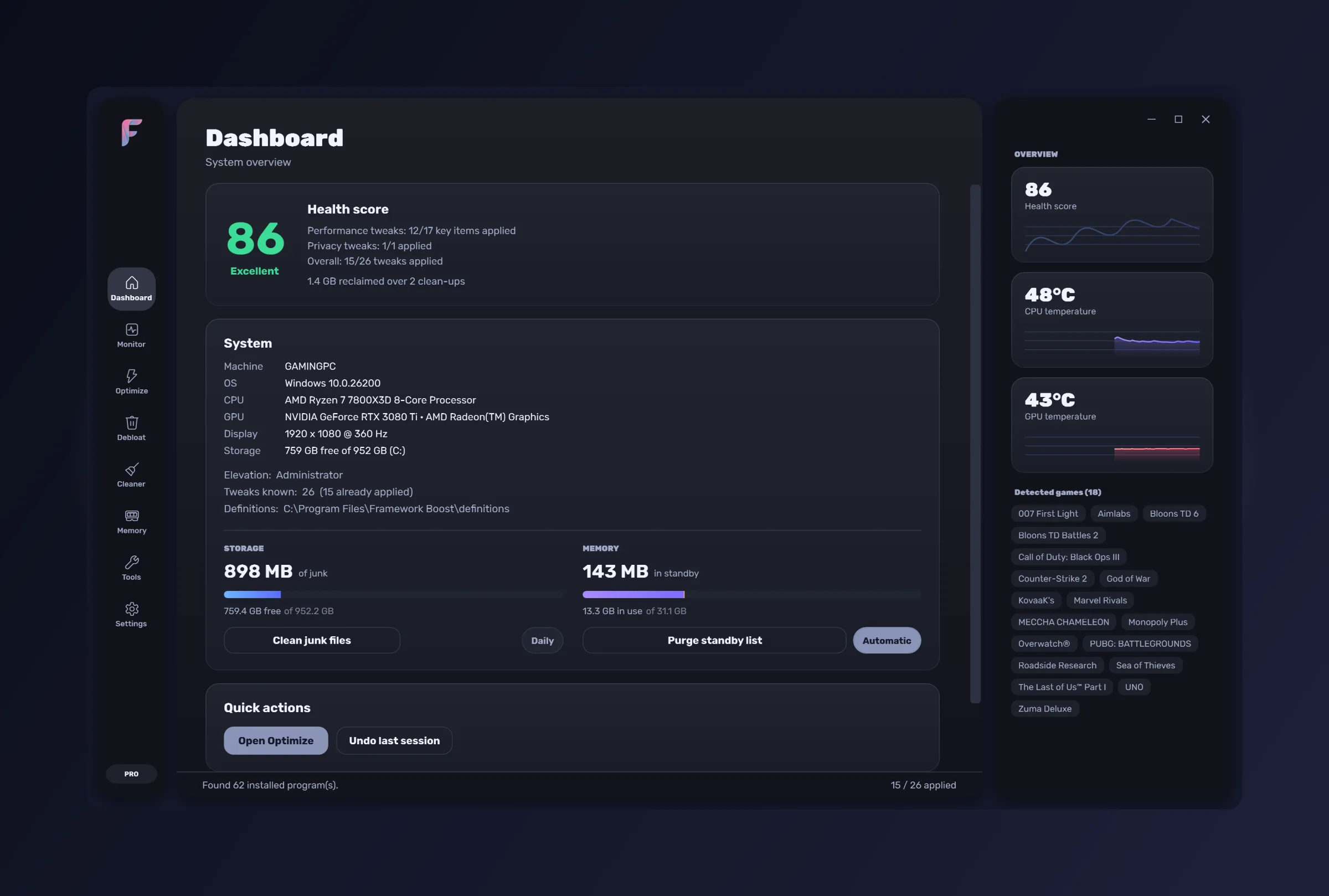
Dashboard
Where the machine stands, and why.
- A health score with the reasoning behind it
- System summary and detected Steam games
- Storage and memory at a glance
- One-click Optimize and Clean
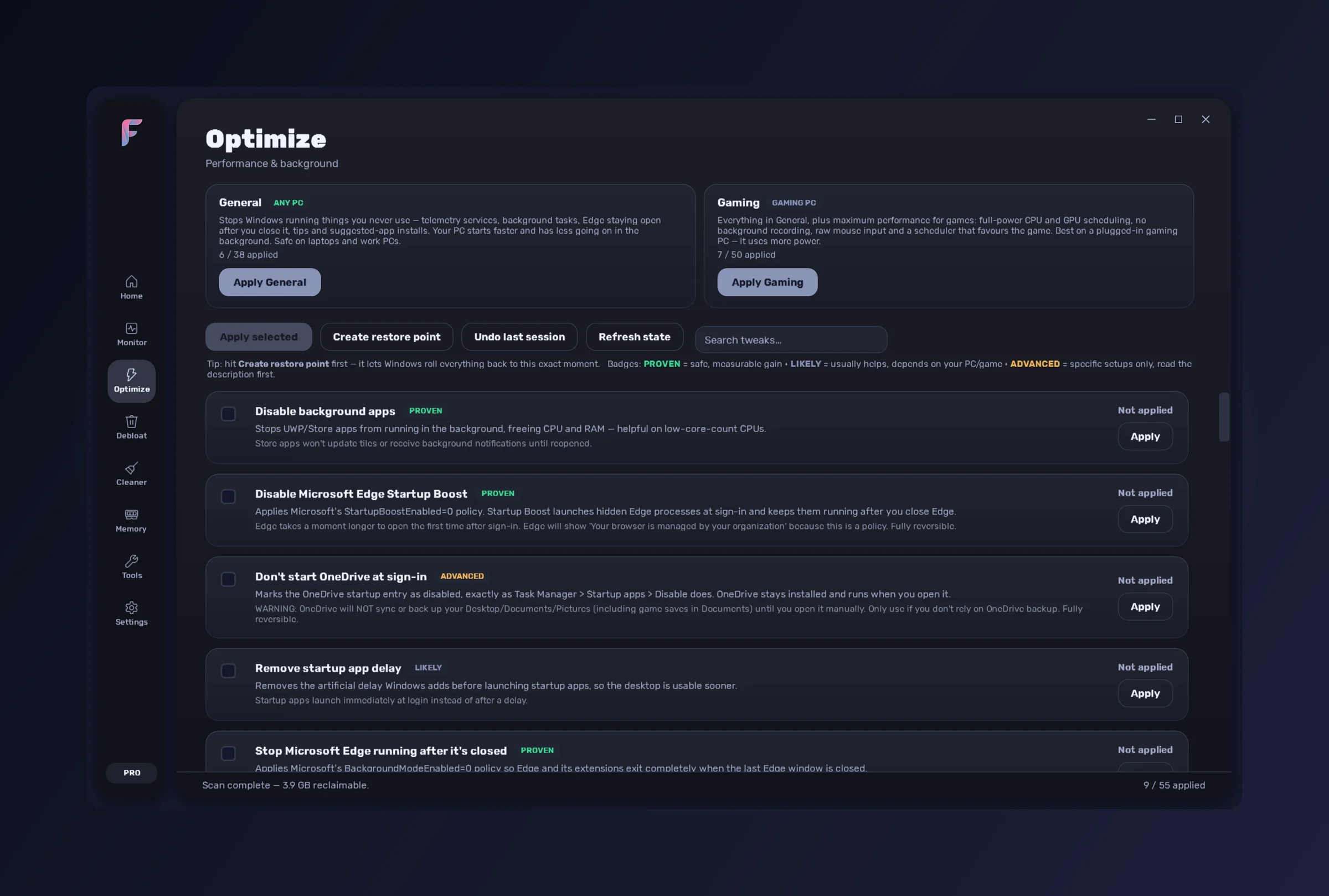
Optimize
Fifty-five tweaks that cut what Windows runs in the background, each one reversible.
- 55 performance and background tweaks
- Evidence tiers — Proven, Likely, Advanced
- Two one-click presets — General and Gaming
- Search across every tweak
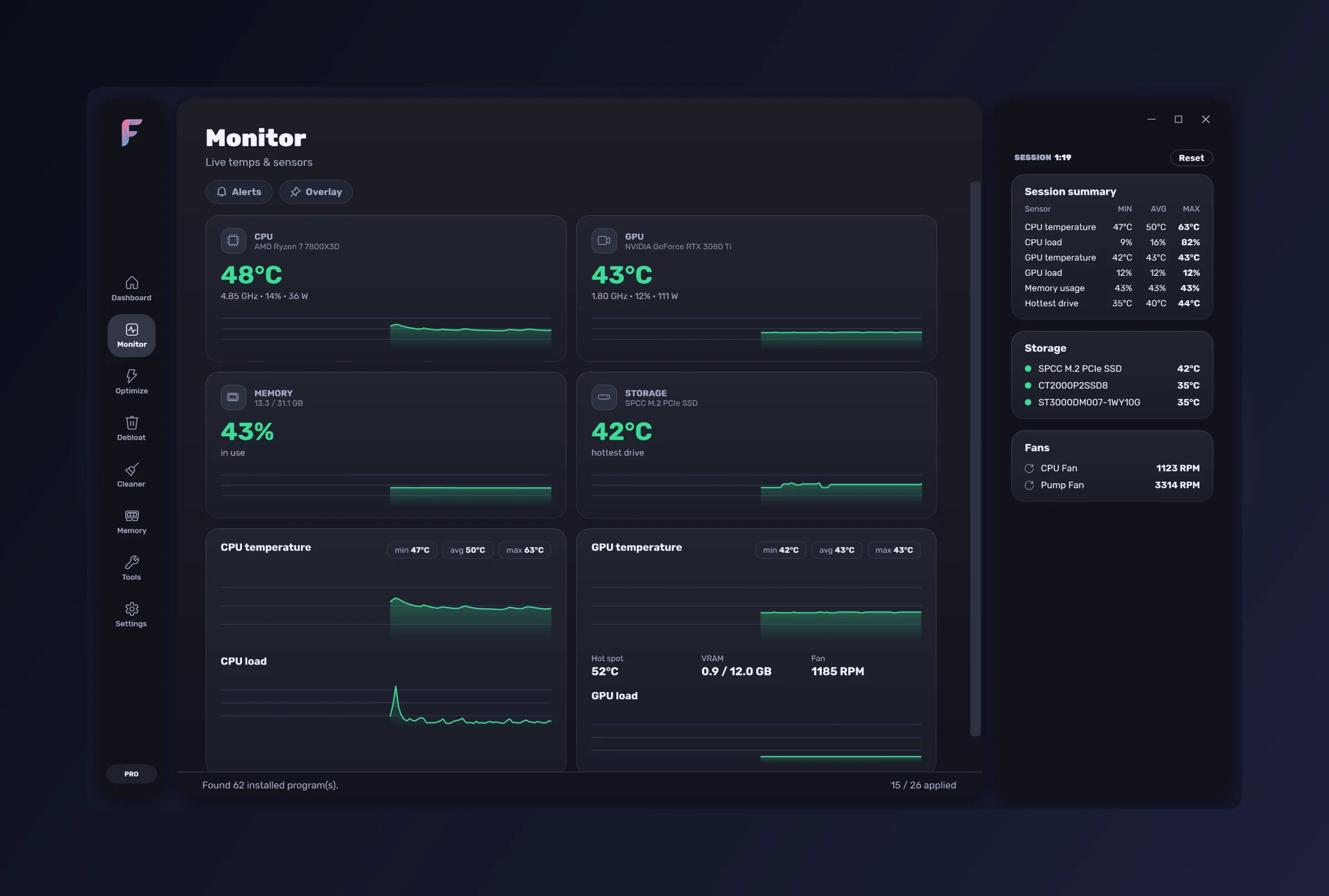
Monitor
Temperatures, loads and clocks — including inside the game.
- Live CPU, GPU, RAM and drive readings
- Graphs and threshold alerts
- A configurable in-game overlay
- A summary for every session
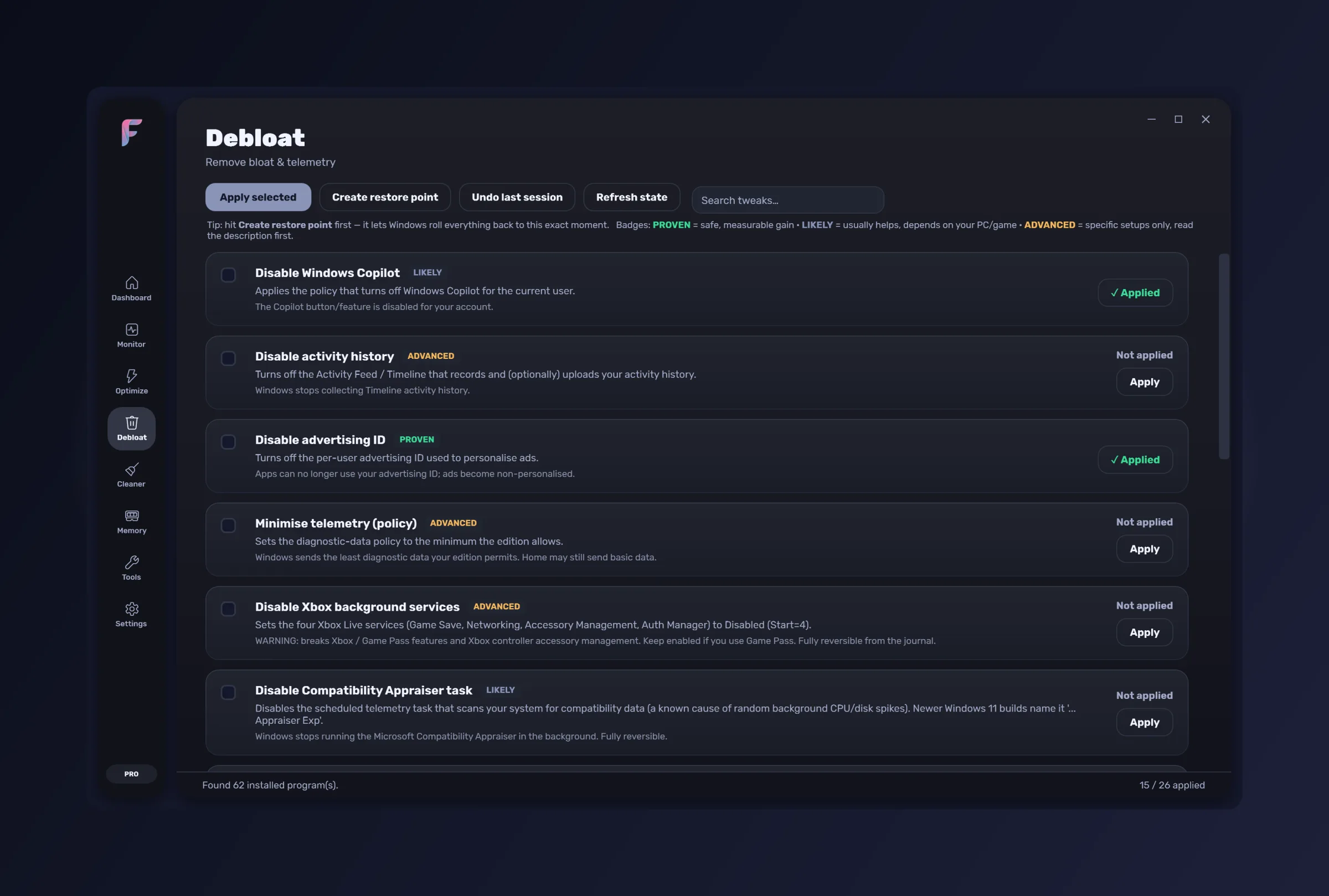
Debloat
The things Windows installs that you did not ask for.
- Registry-level debloating — Copilot, telemetry, activity history
- Telemetry scheduled tasks
- Store and Appx app removal
- A safe / AI / caution catalog, so nothing goes by guesswork
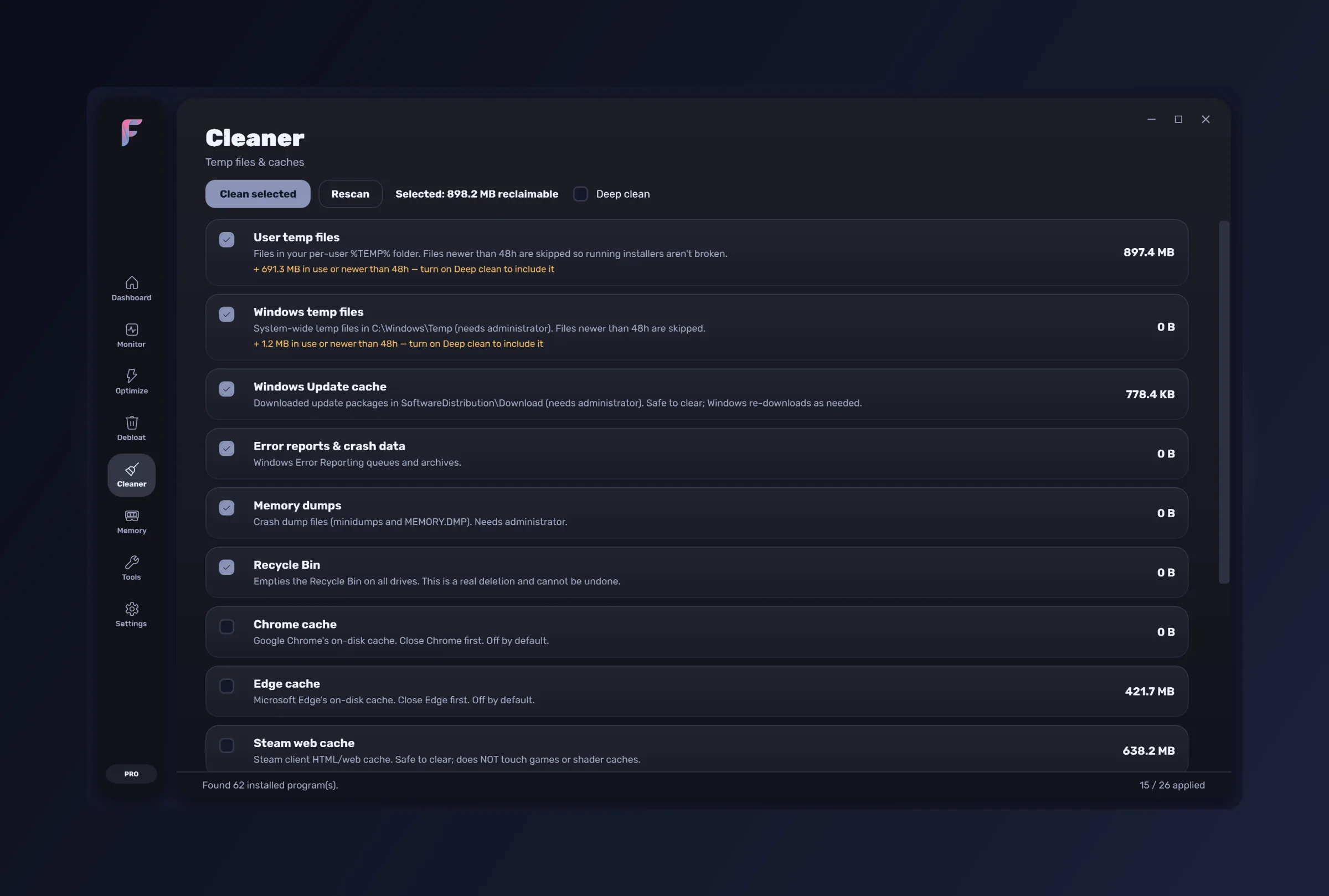
Cleaner
Junk, measured before it is touched.
- Size-scanned categories, so you see what you are freeing
- A 48-hour safety guard on recent files
- Recycle Bin and shader caches
- An optional nightly clean that skips while you are gaming
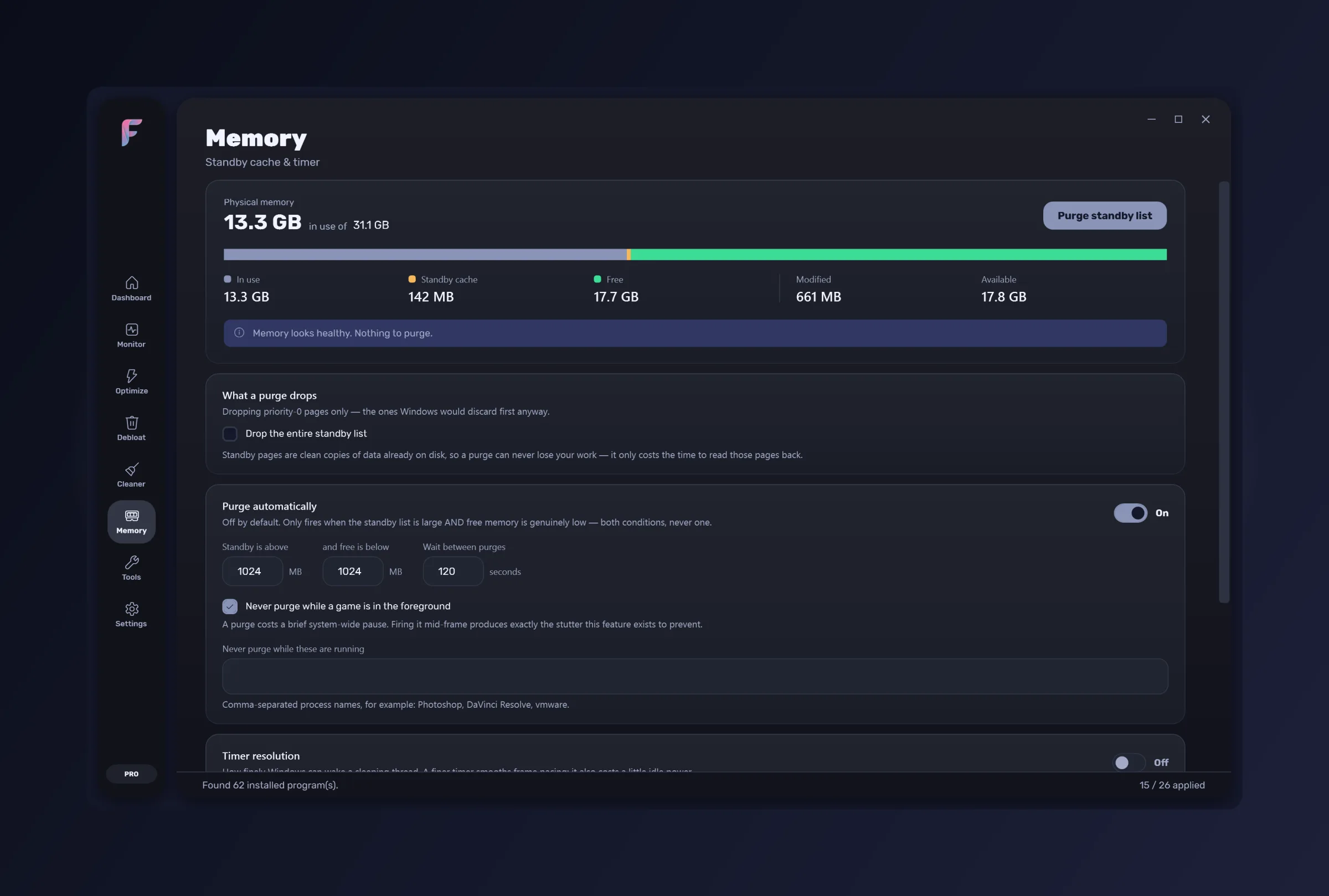
Memory
What is actually holding your RAM, and how to get it back.
- A standby-list breakdown, named rather than totalled
- One-click purge
- RAM-aware defaults, tuned to the memory you actually have
- Optional automatic purging
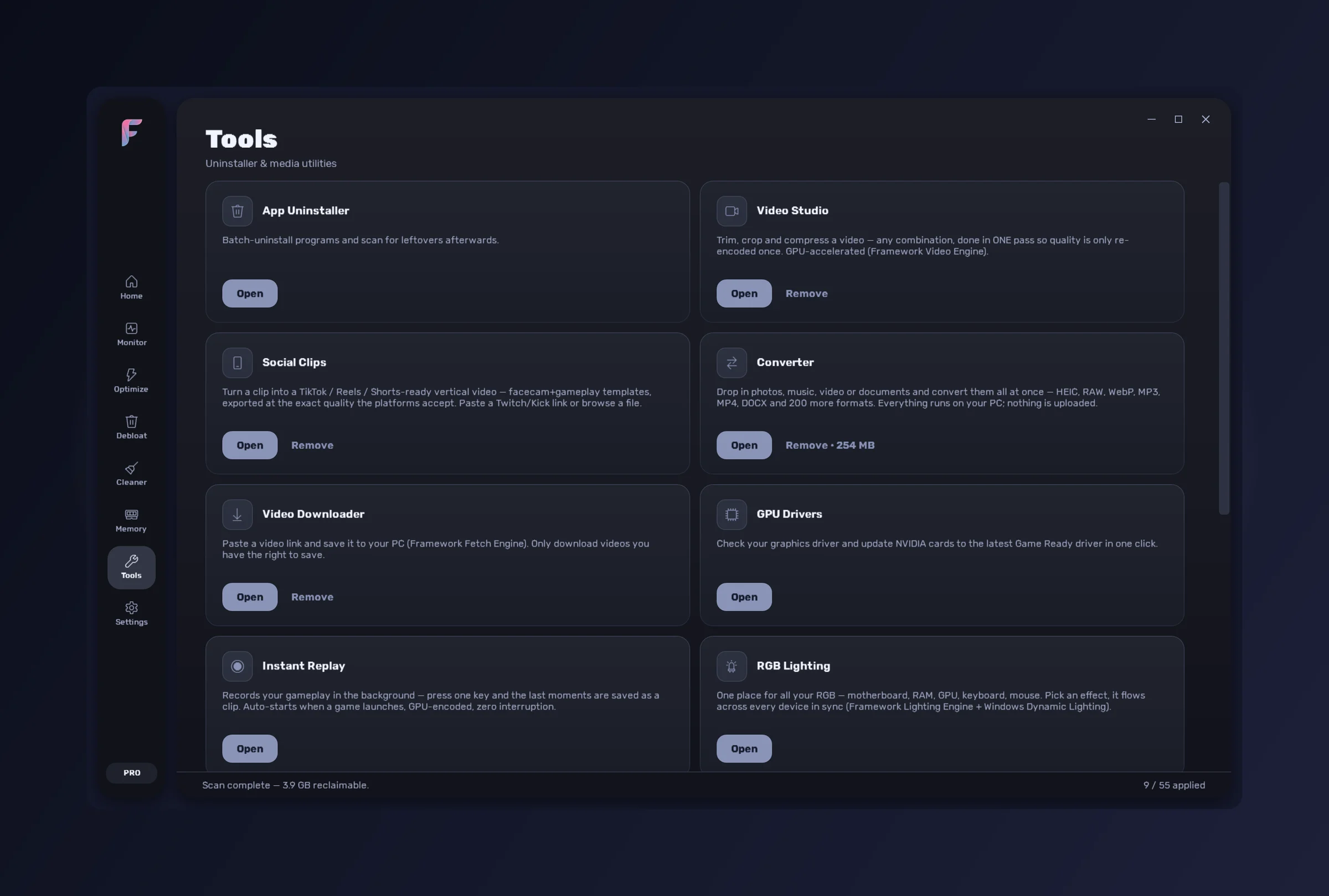
Tools
Eleven utilities that would otherwise be eleven downloads — with more on the way.
- Video Editor, Send Files, Video Studio, Social Clips, Instant Replay
- RGB Lighting, Converter, Video Downloader
- App Uninstaller, GPU Drivers, Sensitivity Converter
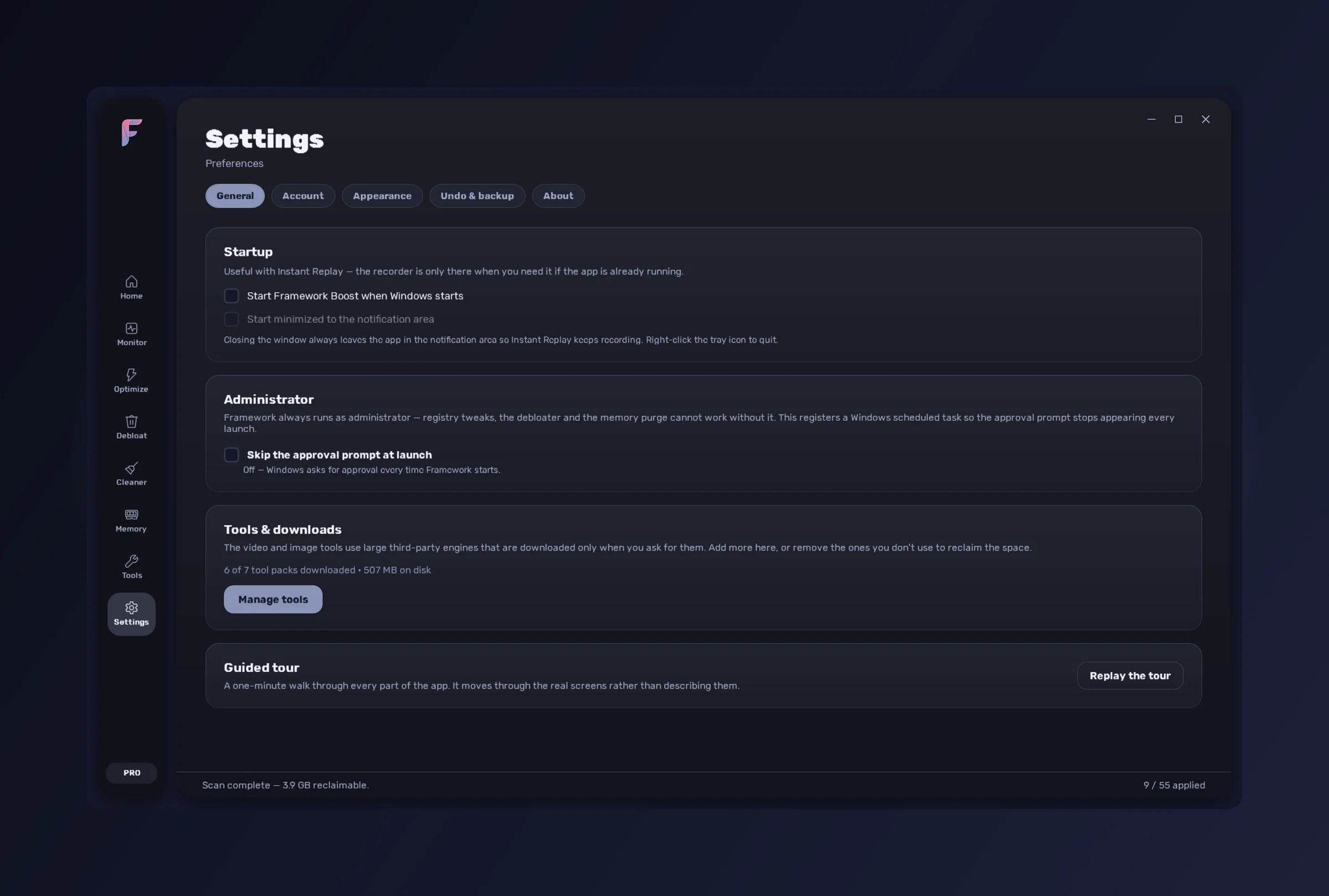
Settings
Undo, profiles, and the subscription itself.
- Undo history — the time machine for every change
- Profile export and import
- Themes, accents and startup behaviour
- Tool downloads, subscription and updates
Eleven today, and more on the way. Whatever we add joins the same subscription — new tools are not a new purchase.
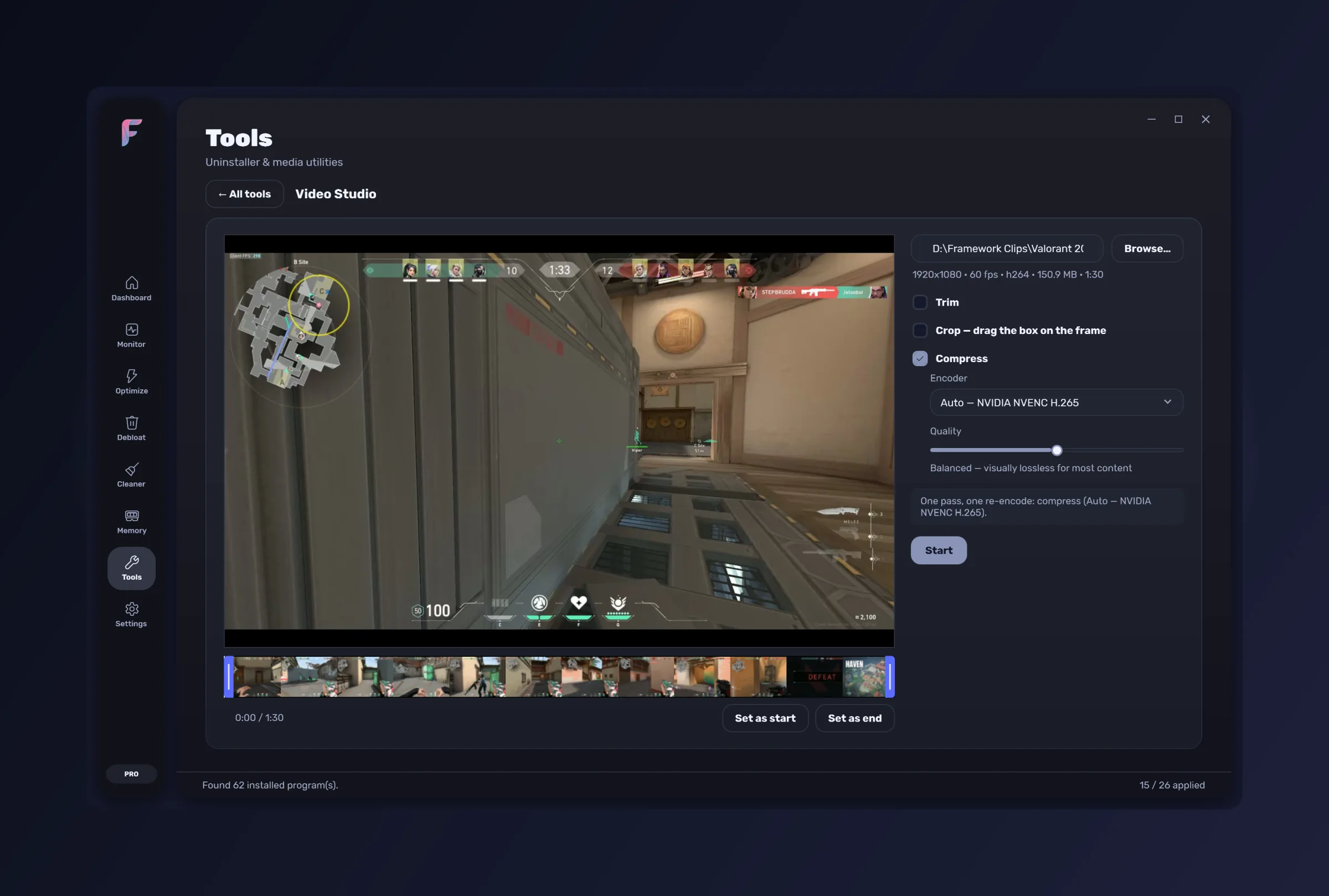
Video Studio
Trim, crop and compress in any combination as one HandBrake pass — never re-encoded twice. Resolution and frame rate are kept, NVENC / QuickSync / VCN are used where the hardware has them, and a cut-only edit is a lossless stream copy.
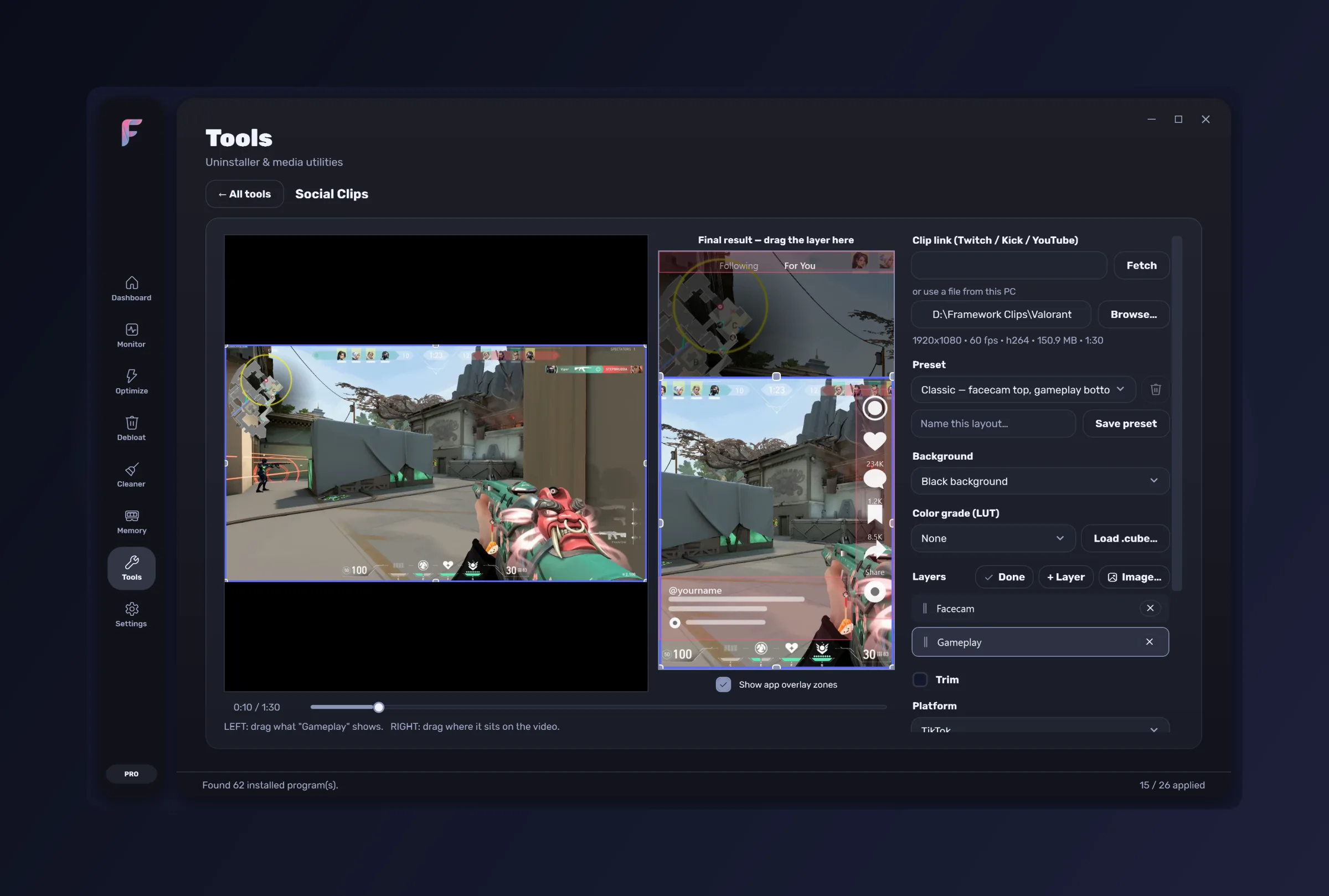
Social Clips
Vertical templates — facecam over gameplay, blurred fill, window crop — exported at 1080×1920 H.264/AAC. Takes a local file or a Twitch, Kick or YouTube clip link.
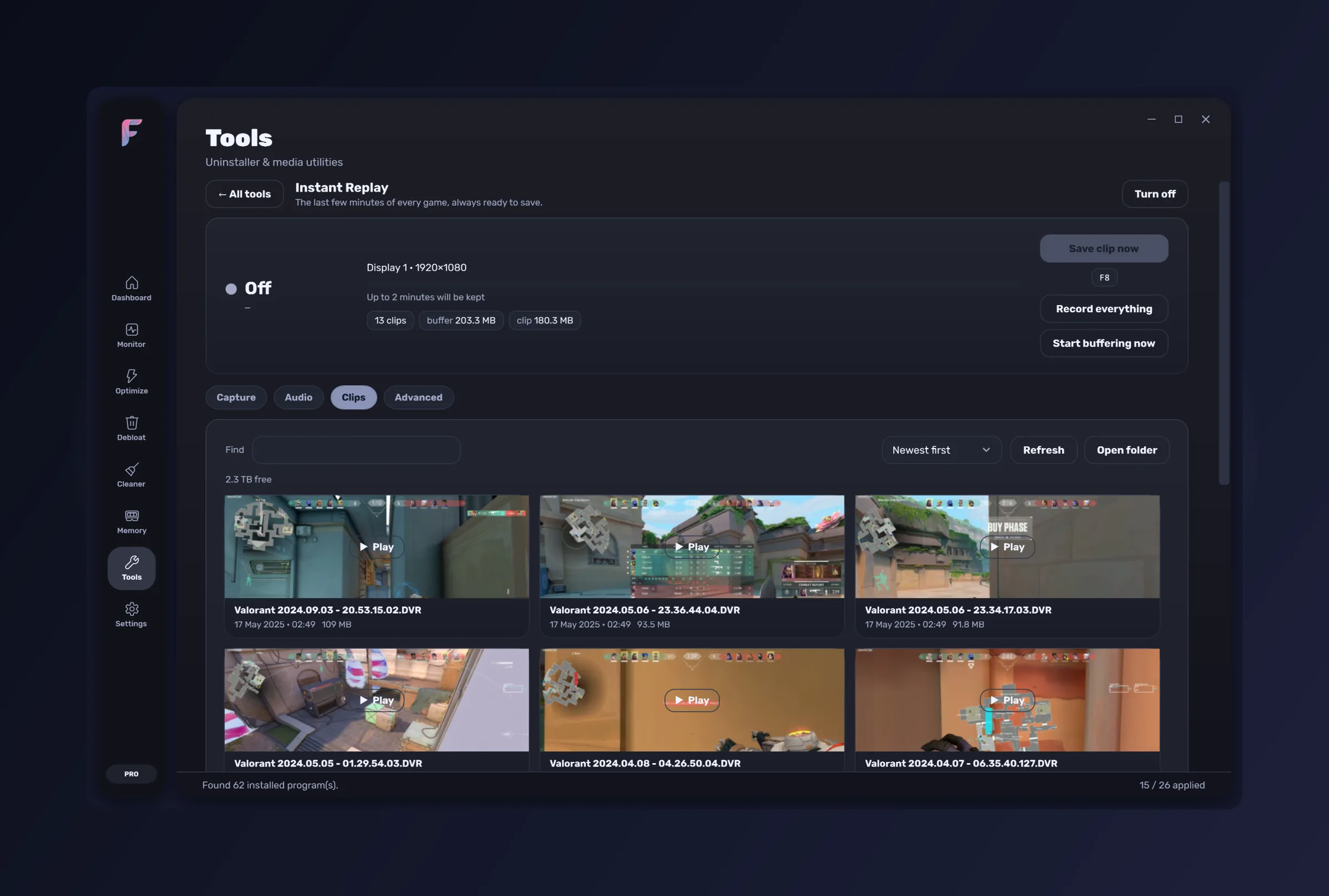
Instant Replay
Background recording with a rolling 15-second to 10-minute buffer and a global hotkey to save the moment after it happens. Desktop Duplication and the GPU encoder — no game hooks, no injection, nothing an anti-cheat objects to.
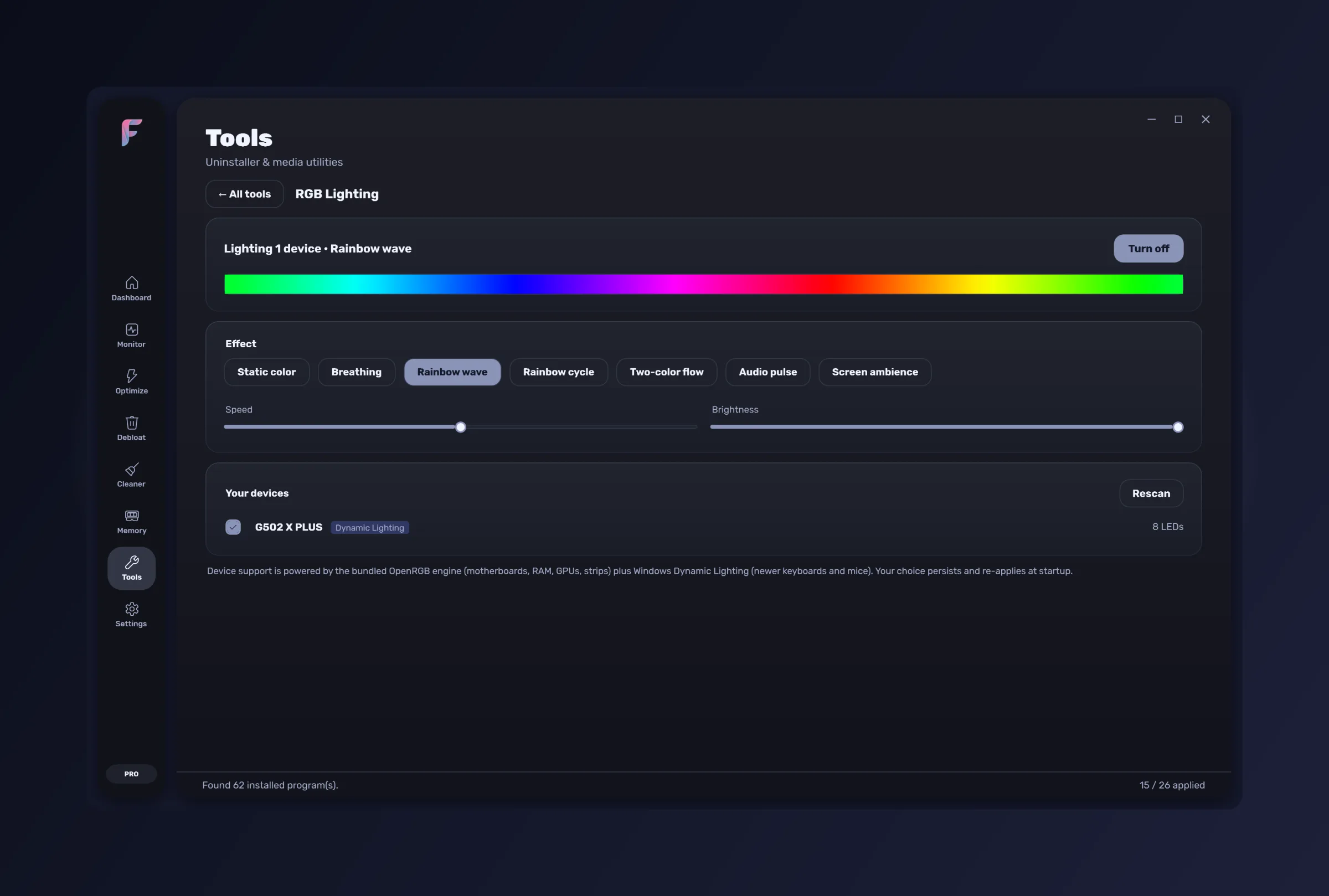
RGB Lighting
One place for every device: the bundled OpenRGB engine for motherboard, RAM, GPU and strips, plus Windows Dynamic Lighting for HID peripherals. Synced effects with a live preview.
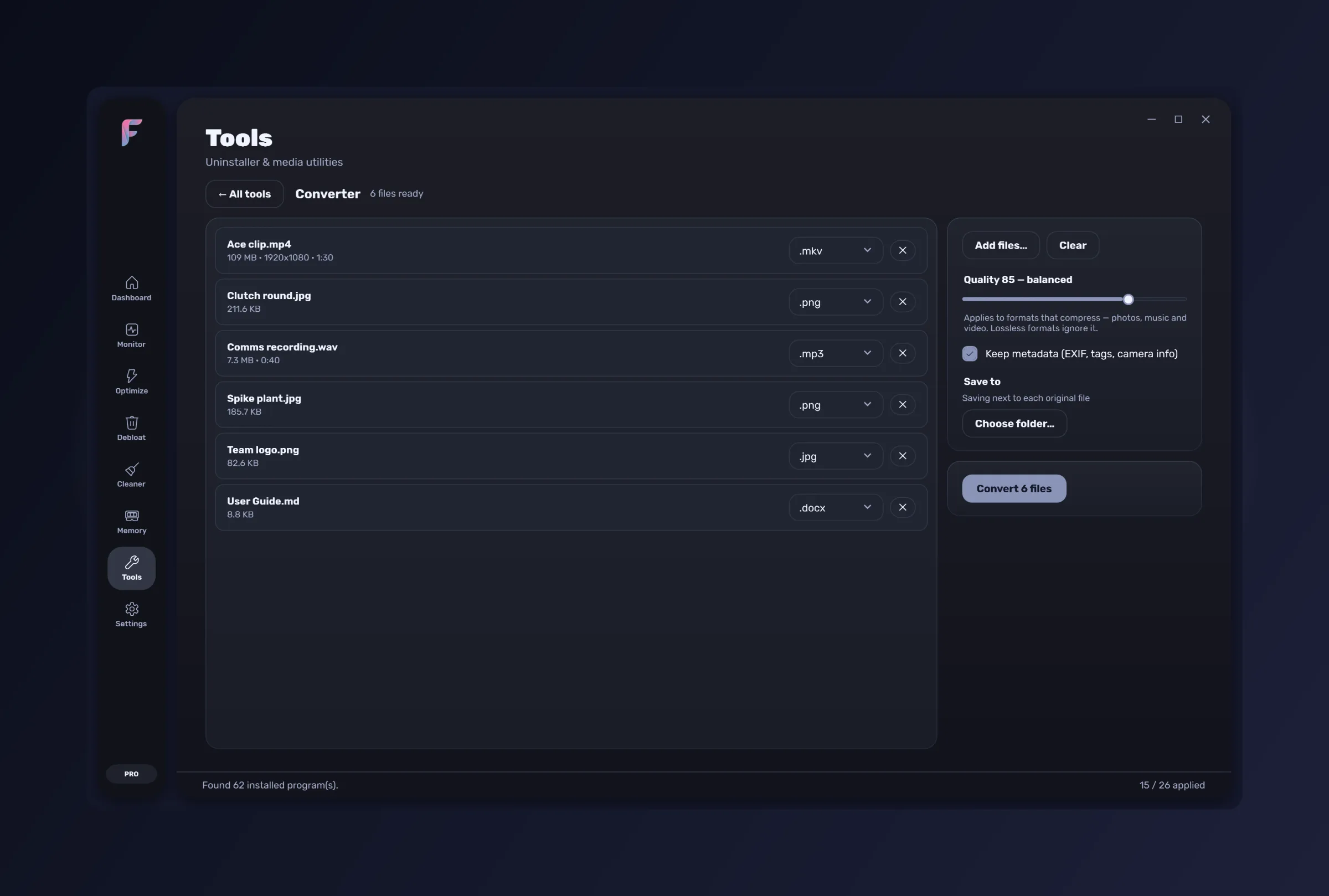
Converter
Drop in photos, music, video or documents and convert them all at once — HEIC, RAW, WebP, MP3, MP4, DOCX and 200 more formats. Everything runs on your PC; nothing is uploaded anywhere.
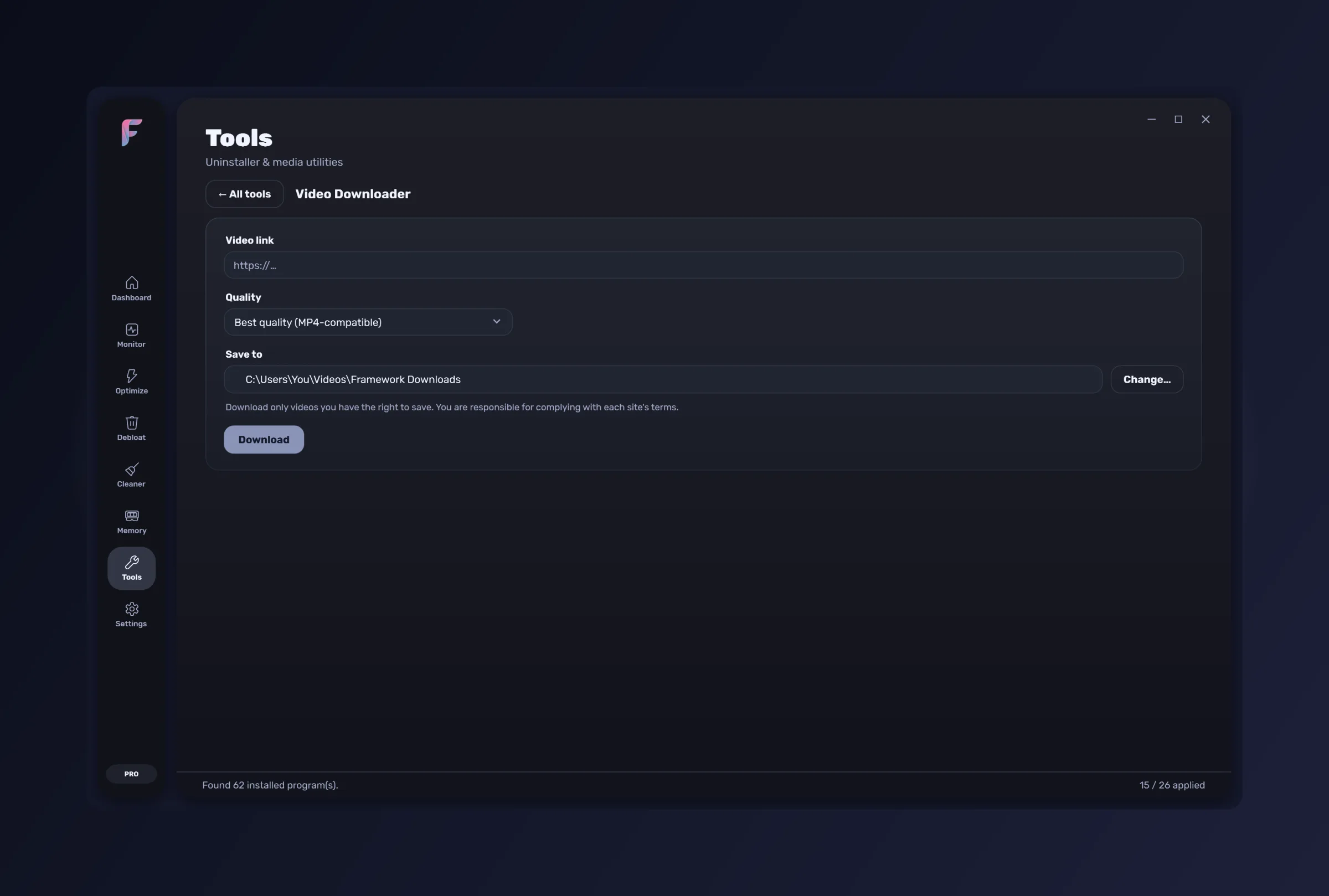
Video Downloader
Paste a video link and save it to your PC, then hand it straight to Video Studio to edit. Only for videos you have the right to save.
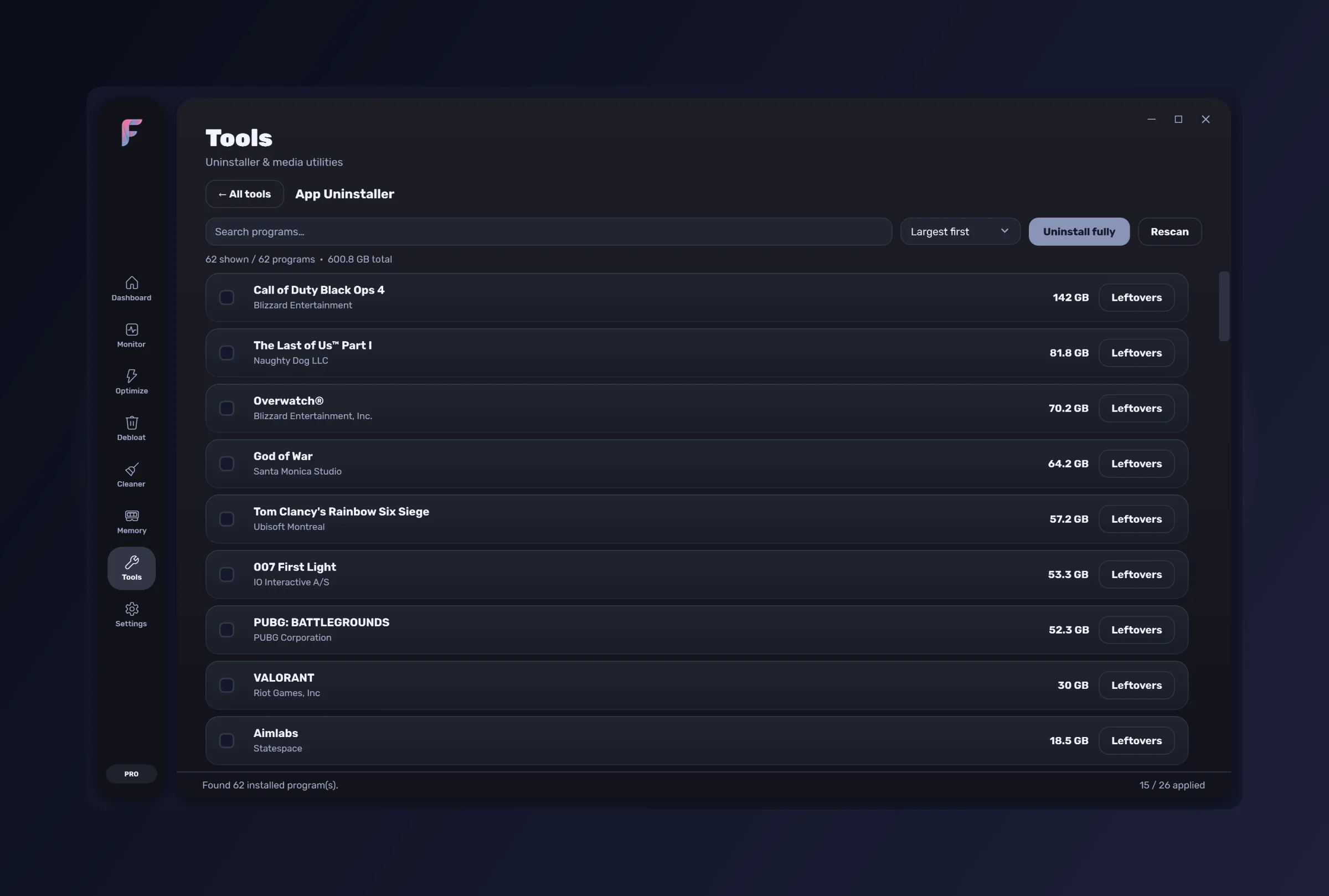
App Uninstaller
Every installed program, searchable, with batch uninstall and a read-only leftover scanner afterwards.
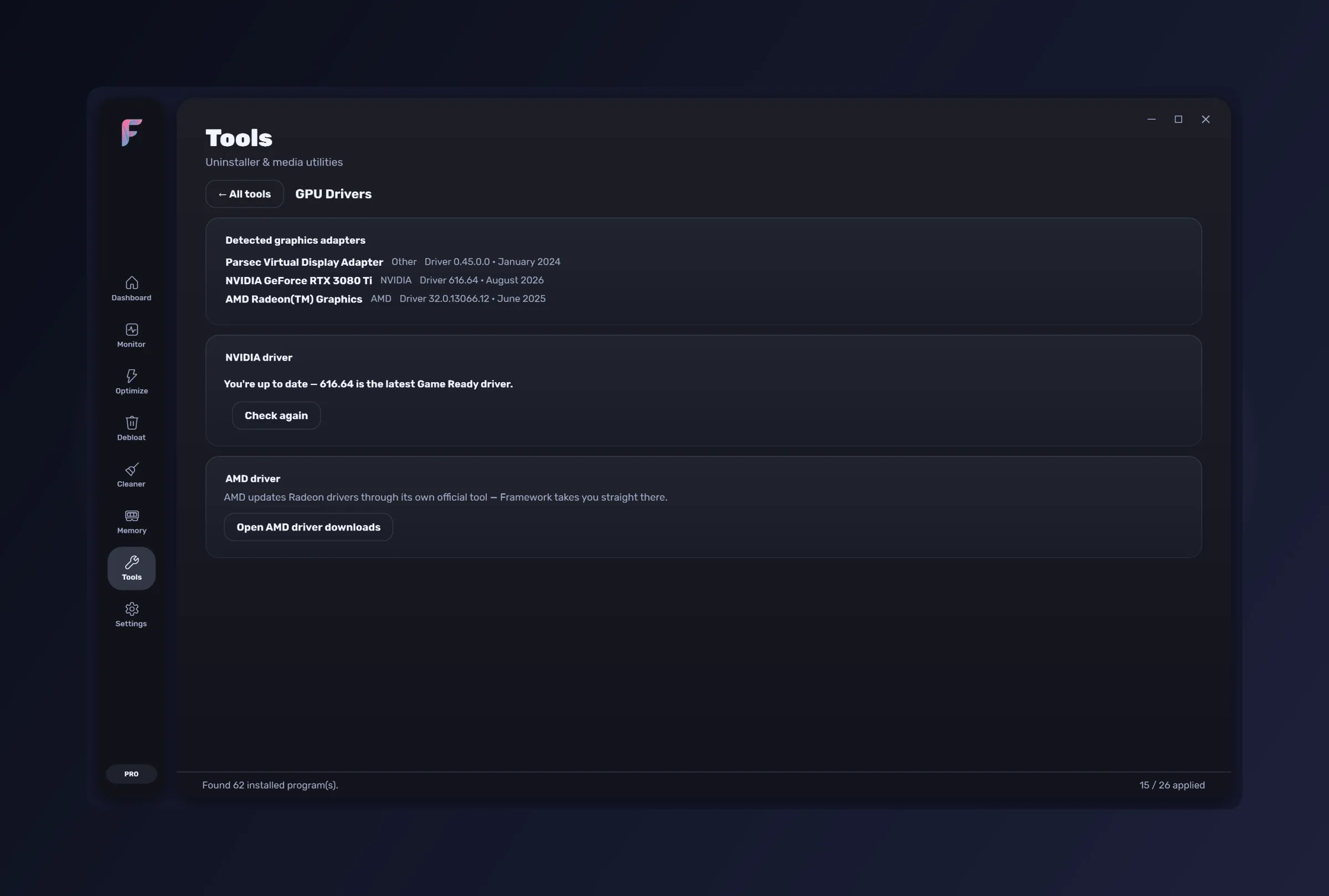
GPU Drivers
Detects the installed NVIDIA driver, finds newer releases, downloads and launches the installer.
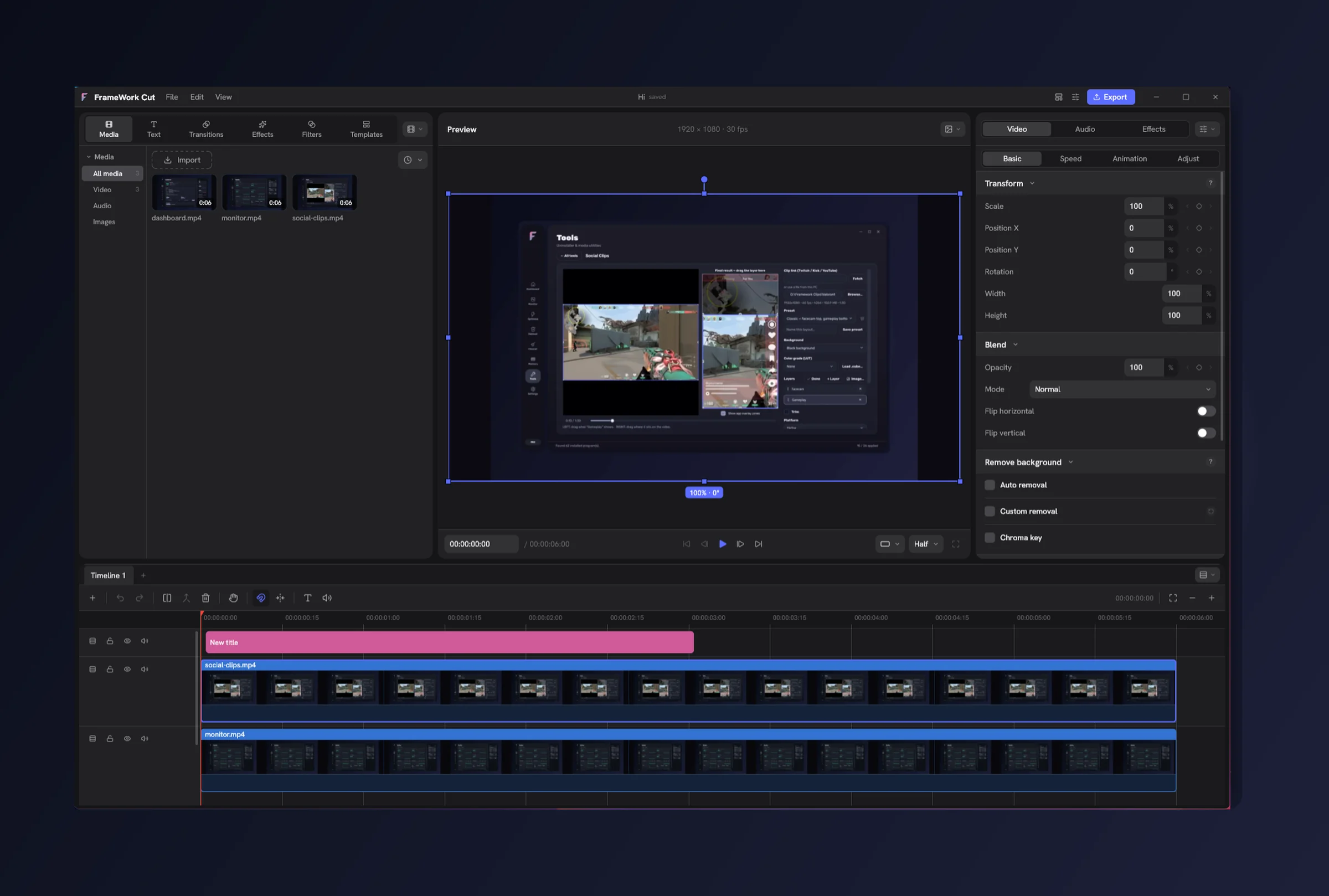
Video Editor
A full editor in its own window — a multi-track timeline with titles, transitions, effects and filters. Opens straight from the Tools grid.
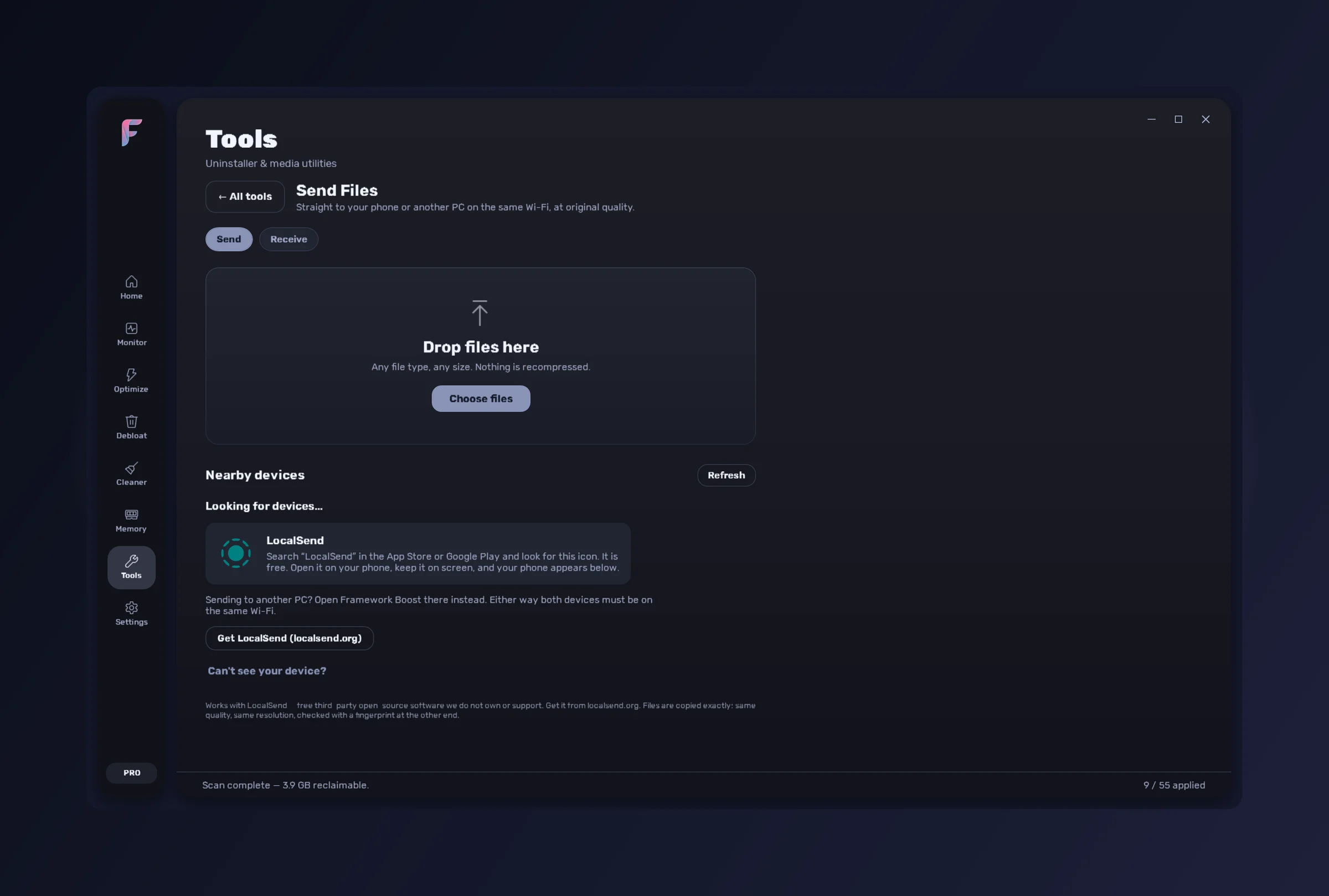
Send Files
Send photos and videos to your phone or another PC on the same Wi-Fi at original quality — no compression, no cloud, no account. Works with the free LocalSend app.
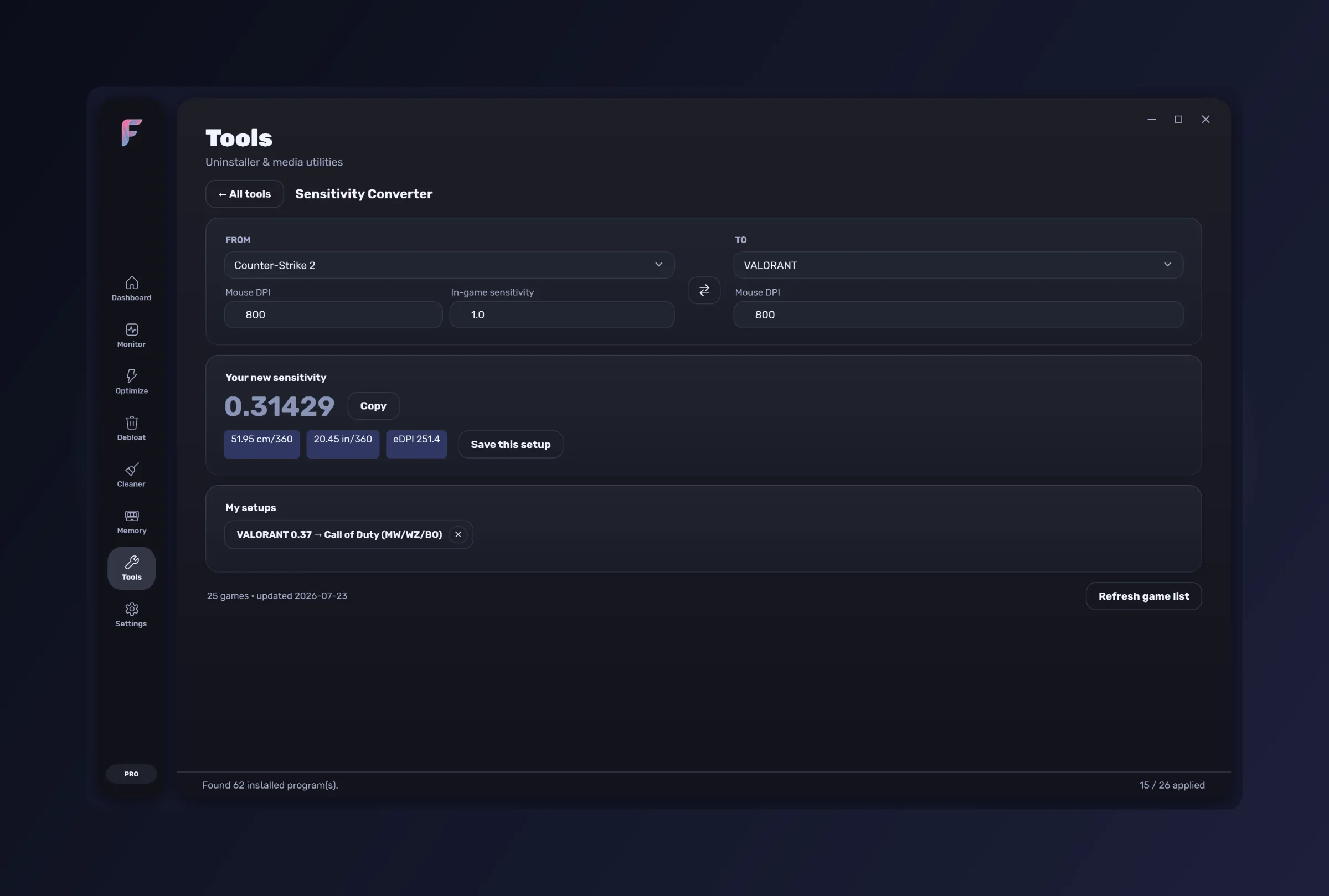
Sensitivity Converter
Exact cm/360 maths between 25 games, with eDPI and in/360 alongside it, saved setups, and a game list that refreshes without an update.
What it needs
- Windows 10 or Windows 11, 64-bit
- Administrator rights — registry tweaks and the debloater cannot work without them
- An internet connection to activate once, and a periodic check while the app is open
Boost is the studio's own software, so there is no committee between you and the person who writes it. Tell us the tool you keep opening something else for, the tweak you expected to find, or the thing that annoyed you today. If it is useful, it ships — and it ships to everyone on the same subscription, at no extra cost.
- A tool you keep leaving Boost to use
- A tweak or a setting you went looking for and did not find
- Something that works, but not the way you expected
- A game, a device or a piece of hardware we do not handle yet
One. A subscription covers one PC, and a second PC needs its own subscription. Moving to a different machine costs nothing — open a ticket from Settings in the app, or from the support page, and we free the seat for you. Reinstalling Windows is the same path.
Boost keeps working until the end of the period you have already paid for, and the app counts the days down so it is never a surprise. After that it stops opening. Nothing on your PC is touched: every tweak stays applied, the undo history stays intact, and your files are your files. Resubscribing picks up exactly where you left off — same account, same PC, nothing to type.
Only to activate, and then a periodic check while the app is open. The app verifies a signed licence locally on every launch, so day to day it never touches the network. If you are travelling it keeps working offline for a grace period.
Yes — every update for as long as the subscription runs. The app checks after launch, verifies the installer against a published checksum, and updates itself in place. Settings, applied tweaks, undo history and your licence all survive.
Yes. Vanguard, EAC and BattlEye are never touched, and Instant Replay uses Desktop Duplication with the GPU encoder rather than hooking or injecting into a game.
No. There is no telemetry and no analytics in the app. The only network calls it makes on its own are the licence check and the update check, and they carry your email, your signed session token and a hashed machine id — nothing else.
Nothing, for you. A price rise applies to new subscribers only — everyone already subscribed keeps the price they started at, for as long as the subscription runs without a break. On the yearly plan that is locked for the whole year you have paid for, and the new price would only reach you at the renewal after it. If you cancel and come back later, you come back at whatever the price is then, so a cheap year is worth keeping.
Message us within 14 days of a charge and we will refund it, no interrogation. Cancelling on its own is not a refund — it stops the next renewal and leaves the time you have paid for intact.
We run Boost on our own machines. Every decision in it is one we live with.
It is the studio’s first application and not its last. Whatever ships next joins the same subscription, and the work happens in the open.
Follow the build on Discord